vidIQ Reviews 2026: Honest Pros, Cons, and Where It Actually Falls Short

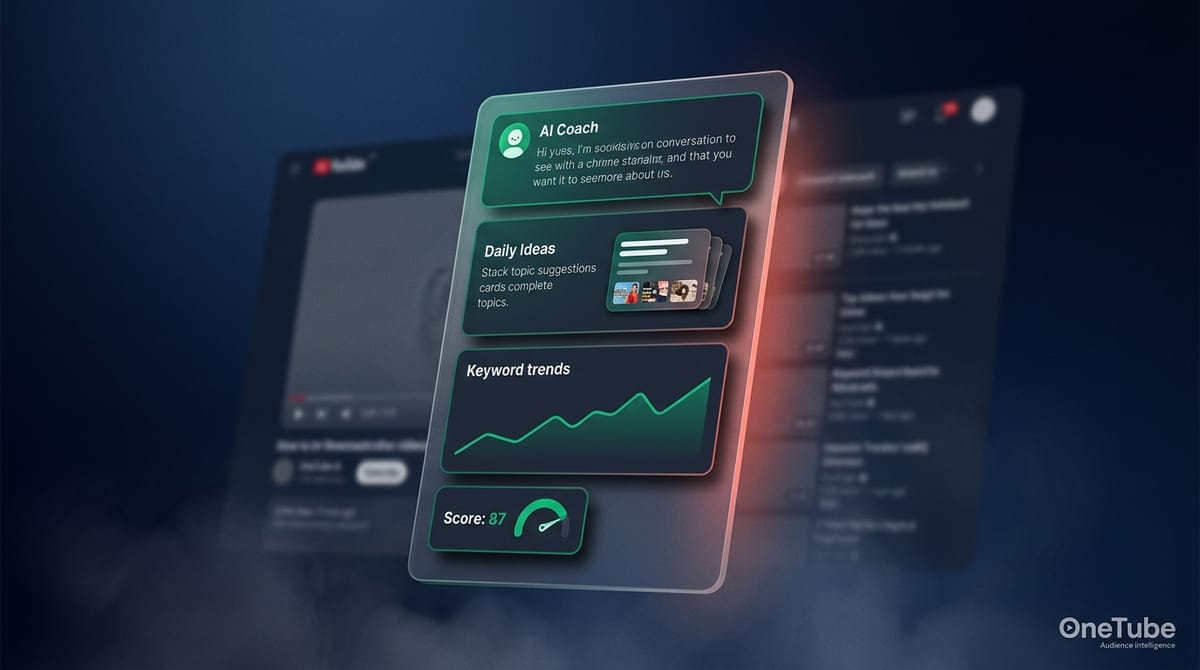
vidIQ is one of two YouTube optimization tools nearly every creator hears about within their first month of getting serious. The other is TubeBuddy, and we compared them head-to-head separately. This article is the standalone honest review of vidIQ — what it actually does well, where it falls short, what real users say in 2024–2026 reviews, and who should subscribe versus who should look elsewhere.
We're not affiliates. OneTube is a YouTube comment-intelligence SaaS sitting in adjacent territory to vidIQ — we don't compete on keyword research, so we have no incentive to bash vidIQ unfairly. What we will do: be specific about where vidIQ wins, specific about where it loses, and clear about the gap it doesn't try to solve.
Key TakeawaysvidIQ is legit — 5M+ Chrome extension installs, 4.5/5 average G2 rating, profitable independent company since 2014.Best for solo creators 10K–100K subs who want AI ideation, daily topic suggestions, and a real-time stats overlay while browsing YouTube.Real weaknesses in 2026: no native A/B testing, AI quality criticism from r/SmallYTChannel and Trustpilot users, no refunds on annual plans, weaker bulk processing than TubeBuddy.The deeper structural gap nobody calls out: vidIQ optimizes what you've decided to publish; it doesn't help you decide what to publish based on competitor audience signals. That's a different job (and a different tool).
Quick verdict — should you subscribe to vidIQ in 2026?
Yes if you're a solo creator 10K–100K subs who wants an AI assistant nudging you with daily topic ideas, real-time trend signals, and SEO scoring while you browse YouTube. The Boost annual plan at $16.58/mo effective is one of the better-priced AI ideation tools in the niche.
No if you need A/B testing (vidIQ has none — use TubeBuddy Legend or YouTube Studio's native tool), or if you're managing a 500+ video back catalog that needs bulk editing (TubeBuddy beats vidIQ on bulk processing decisively).
Maybe for sub-10K creators — the Free tier covers basic keyword research and the extension overlay, so you can use vidIQ without paying. The paid AI features become genuinely useful around the 5K–10K sub stage when topic decisions start mattering more than tag optimization.
What is vidIQ and what does it actually do?
vidIQ is a YouTube optimization suite — Chrome extension, web dashboard, mobile app, and an AI Coach. Founded in 2014, it now serves a few million creators across the Free and paid tiers. The four core jobs it does:
- Keyword research and SEO scoring. Tag suggestions, optimization score per video, related keyword discovery, search volume estimates.
- AI ideation and daily topic suggestions. The AI Coach (conversational), Daily Ideas (proactive content suggestions), and Max Mode AI for higher-volume idea generation.
- Real-time stats overlay on competitor videos via the Chrome extension. Browse any YouTube video, see views-per-hour, engagement rate, top tags inline.
- Trend discovery. Keyword Inspector with historical data, trending topics in your niche surfaced daily.
What it doesn't try to do: native A/B testing (none exists in vidIQ), bulk catalog editing at scale, retention analysis (punts to YouTube Studio), and — most importantly for this review — structured comment intelligence on competitor channels at the standard creator tiers. We'll come back to that.
vidIQ pricing — what each tier actually costs
vidIQ runs four tiers in 2026. Annual billing on Boost in particular is unusually aggressive compared to TubeBuddy and other YouTube tools.
| Tier | Monthly | Annual (effective/mo) | AI credits/mo | What it unlocks |
|---|---|---|---|---|
| Free | $0 | $0 | 150 | Basic keyword research, extension overlay, limited Daily Ideas |
| Boost | ~$39/mo | $16.58/mo ($199/yr) | 2,000 | AI Coach, full Daily Ideas, unlimited trends, mobile app |
| Max | not offered | $39/mo ($468/yr) | 6,000 | Max Mode AI (5× capability), AI shorts clipping, priority queue |
| Coaching + Boost | $99/mo | ~$99/mo | 2,000 | Everything in Boost + 1-on-1 coaching with a vidIQ growth strategist |
Track your niche, not just your own channel.
Start your 14-day OneTube trial
OneTube's Spy Mode analyzes comments on any public YouTube channel, your competitors' included. Pulse AI reports, niche trend detection, sentiment and intent analysis. Free for 14 days. Cancel anytime, no charge until day 15.
Start free trial →The Boost annual discount lands near 57% off the monthly headline ($16.58/mo billed annually vs. $39/mo billed monthly). That's the most aggressive annual discount in the YouTube creator tool category as of May 2026. Max is annual-only — there's no monthly Max tier.
Refund policy: vidIQ does not refund unused months on annual plans. If you cancel mid-cycle, you keep access until the renewal date but get no money back. Multiple Trustpilot reviews in 2024–2025 specifically cite difficulty cancelling and being charged through the end of the term. Plan for the full annual commitment.
Sources: vidIQ pricing page verified May 2026, Trustpilot review aggregate 2024–2025.
What vidIQ does well — the honest strengths
AI Coach and Daily Ideas
This is the headline feature and where vidIQ has invested the most marketing budget. The AI Coach is a conversational interface you can ask "what should I make next?" or "how do I improve my CTR?" — it pulls from your channel data plus YouTube trends to suggest topics. Daily Ideas pushes 3–5 proactive suggestions per day for paid users.
The honest take: it's useful for creators who get stuck on the topic-decision step. For experienced creators who already know what to make, the suggestions feel generic. It's a beginner-to-intermediate strength, not a senior-creator tool.
Real-time stats overlay (Chrome extension)
You install vidIQ's Chrome extension, browse any YouTube video, and you see views-per-hour, engagement rate, top tags, and an SEO score overlaid on the page. No clicking through dashboards, no waiting for sync. This is genuinely useful and reviewers consistently call it out as the best part of the product.
Trend discovery
Keyword Inspector adds historical trend data that some reviewers prefer for catching rising topics early. If you're optimizing for trending content rather than evergreen topics, vidIQ's trend signals are faster and broader than TubeBuddy's.
Keyword research depth
Standard table-stakes work — search volume, competition score, related keywords, ranking estimates. Not differentiated from TubeBuddy, but solid.
Where vidIQ falls short — the honest gaps
No native A/B testing
vidIQ does not have native A/B testing for titles, thumbnails, or descriptions. None. If you want to test thumbnail variants, you'll need TubeBuddy Legend ($23–$39/mo annual) or YouTube Studio's native A/B testing tool (rolled out 2024, more limited — titles and thumbnails only). One reviewer captured the frustration directly: "I'm shocked vidIQ hasn't jumped on the opportunity to add this feature."
This is the single biggest functionality gap in vidIQ for established channels.
AI quality criticism
Across r/SmallYTChannel, r/NewTubers, and Trustpilot 2024–2025 reviews, the most consistent complaint about vidIQ's paid AI features is that the Daily Ideas and AI thumbnail generator produce "generic" results. One Trustpilot review describes the AI thumbnail output as "useless." Another reviewer summary aggregated multiple posts as: "AI-powered features, particularly the title and thumbnail generators, are widely criticized as being 'crap,' 'useless,' and producing generic or irrelevant results."
The conversational AI Coach holds up better in reviews than the generators do. If you're paying for AI ideation specifically, set expectations: it's good for nudging, not for outputting final assets.
Even Jimmy Donaldson — MrBeast, ~400M subscribers and founder of his own creator-tools platform ViewStats — publicly admitted that AI-generated assets can miss what creators actually need. After pulling ViewStats' AI thumbnail generator in June 2025 following creator backlash, he said: "I thought people were going to be pretty excited about it, but I definitely missed the mark." (Newsweek coverage). The same gap vidIQ's reviewers describe — generic outputs that don't match a specific channel's visual language — is the gap even the largest creator on the platform couldn't close on his first try. Set your expectations accordingly when you sign up for the AI tier.
Credit metering controversy
Some Trustpilot reviewers describe the credit system (150 / 2,000 / 6,000 credits per tier) as opaque, with credits being "quietly inflated" for some interactions. The specific quote: "bait-and-switch credit system that forces even paying subscribers to pay per interaction with their AI bot." Whether this is policy or perception, it shows up in negative reviews enough to flag.
No refunds on annual plans
vidIQ's published refund policy: no prorated refunds. Multiple Trustpilot 2024–2025 reviews mention being "blocked from renewing" or being unable to recover money after mid-cycle cancellation. If you commit to annual, plan to use the full year.
Limited bulk processing
If you're managing a 500+ video back catalog and want to refresh tags or update descriptions at scale, vidIQ's bulk capabilities are noticeably weaker than TubeBuddy's. For catalog-heavy channels, this is a real workflow gap.
The deeper structural gap
Here's the part that doesn't show up in most vidIQ reviews because it's about a different job entirely. vidIQ optimizes the supply side of your channel — what tags you use, what your title says, what your thumbnail tests, what trends are rising. It makes sure your published video is technically optimized.
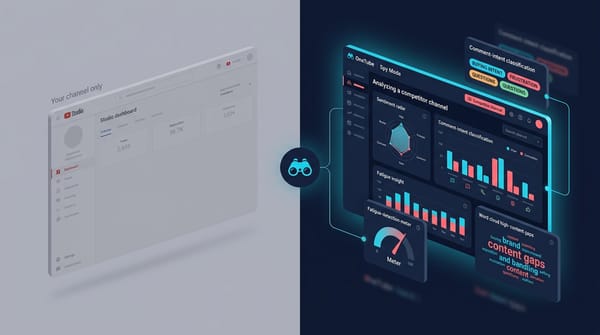
It does not tell you what video to make next based on what your audience and your competitors' audiences are actually asking for. vidIQ's "competitor analysis" surfaces metadata (top videos, tags, view counts). It does not extract structured intelligence from the comments on competitor channels at the standard creator tier — that's something vidIQ's Brand Solutions enterprise tier does, but standard Boost or Max subscribers don't get it.
If your bottleneck is "I'm publishing optimized videos and they still don't land," the bottleneck isn't keyword optimization. It's direction. Different tool job. We dug into how that works in our content-gap analysis pillar.
What real users say — sentiment summary 2024–2026
vidIQ's G2 average is 4.5/5 across hundreds of reviews. Capterra similar. The Trustpilot picture is more polarized — strong recent positive reviews on the trend extension, repeated negatives on AI generators and billing.
Sentiment shift signal: the trend overlay and AI Coach hold up positively across 2024–2026. The Daily Ideas and AI thumbnail generators show declining sentiment vs. 2022–2023, when AI was novel enough that "good enough" felt impressive. Reviewers' bar for AI output has risen; vidIQ's output hasn't kept pace.
Common verbatim themes:
- Praise: "The Chrome extension alone is worth the price." "Daily Ideas got me past content block." "The trend tracking actually predicts what's about to take off."
- Criticism: "AI thumbnails are crap." "The credit system feels punitive." "Tried to cancel for three months — kept getting renewed." "Score reliability is poor — high-scoring videos flopped, low-scoring videos went viral."
The pattern is consistent: extension + trend discovery are the durable wins; AI generators and billing are the durable complaints.
When vidIQ is the right pick — and when it isn't
vidIQ is the right pick if:
- You're a solo creator 10K–100K subs who values AI nudging on topic decisions
- You browse YouTube competitively and want real-time stats on every video you watch
- Trend discovery is a real input to your content strategy
- You're publishing weekly and the topic-decision step is your biggest time sink
Skip vidIQ if:
- You need A/B testing → TubeBuddy Legend or YouTube Studio's native tool
- You have 500+ videos in a back catalog → TubeBuddy's bulk processing
- Your channel is already optimized and the bottleneck is what to publish, not how → that's an audience-intelligence problem, not a keyword problem. OneTube's Spy Mode and Pulse Reports are built for this (we covered the head-to-head comparison with TubeBuddy here)
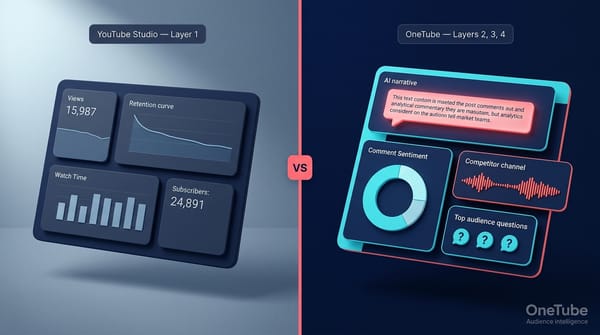
"YouTube Studio shows WHAT happened. OneTube tells you WHY — automatically, across all your channels, every day."
Frequently asked questions
Is vidIQ legit and safe?
Yes. vidIQ has been a real company since 2014, has 5M+ Chrome extension installs, a 4.5/5 average G2 rating across hundreds of reviews, and is consistently profitable. The Chrome extension uses OAuth — it does not require your YouTube password. Safety concerns are minimal; the legitimate criticisms are about feature quality and billing transparency, not about whether the company itself is trustworthy.
Is vidIQ worth the money in 2026?
For solo creators 10K–100K subs who genuinely use the AI Coach and trend overlay, yes — Boost at $16.58/mo annual is a solid deal. For sub-10K creators, the Free tier is enough until you grow. For 100K+ creators or those running multiple channels, vidIQ alone isn't enough — you'll need either TubeBuddy Legend (for A/B testing) or an audience-direction tool like OneTube on top.
Does vidIQ offer a free trial or money-back guarantee?
vidIQ has a Free tier (no trial — it's a permanent free tier with limited features) but no money-back guarantee or refund policy on annual plans. If you cancel mid-cycle, you keep access until the renewal date but receive no refund. Plan accordingly.
Is vidIQ better than TubeBuddy?
Depends on your job. vidIQ wins on AI ideation, trend discovery, and the real-time extension overlay. TubeBuddy wins on A/B testing, bulk processing, and in-tool retention analysis. We did the full head-to-head in our vidIQ vs TubeBuddy comparison.
Can I get vidIQ for free?
Yes — the Free tier is permanent and includes the Chrome extension overlay, basic keyword research, and a small Daily Ideas allowance (150 AI credits/month). The paid AI features (full AI Coach, unlimited trends, mobile app) require Boost or above.
How is vidIQ different from OneTube?
Different jobs. vidIQ optimizes the videos you've decided to publish — keywords, tags, titles, trends. OneTube tells you what to publish based on what audiences (yours and your competitors') are actually asking for in their comments. The two are complementary, not competitive — use vidIQ for SEO and ideation, use OneTube for audience-direction. Our free YouTube channel analyzer comparison covers the broader category.
Final verdict
vidIQ is a legitimate, well-built YouTube optimization tool with one of the best Chrome extensions in the category. The strengths (AI Coach for topic ideation, real-time stats overlay, trend discovery) hold up under honest scrutiny. The weaknesses (no A/B testing, generic AI generator output, no refunds, weak bulk processing) are real but match the tool's positioning — it's optimized for solo creators in the 10K–100K range, not enterprises or catalog-heavy channels.
If you fit the ICP and the Boost annual price ($16.58/mo) doesn't sting, vidIQ is a reasonable subscribe. If you don't fit, skip it without regret — the Free tier covers your basics until you grow into needing paid AI ideation.
If you've already subscribed and your videos are technically optimized but still under-performing, the question isn't "is vidIQ worth it." It's whether you need a different tool for a different job. The 14-day OneTube trial requires a credit card at signup with no charge until day 15 — five channels including competitors, generous Pulse Report quota, full Spy Mode access included. That's the audience-direction layer vidIQ doesn't try to solve.
Related reads
- vidIQ vs TubeBuddy in 2026: Honest comparison + where both miss — head-to-head feature and pricing analysis
- Best free YouTube channel analyzers in 2026 (tested) — what you can do without paying for vidIQ
- How to find YouTube content gaps with AI in 2026 — the audience-direction layer vidIQ doesn't address