vidIQ vs TubeBuddy in 2026: Honest Comparison + Where Both Miss the Mark

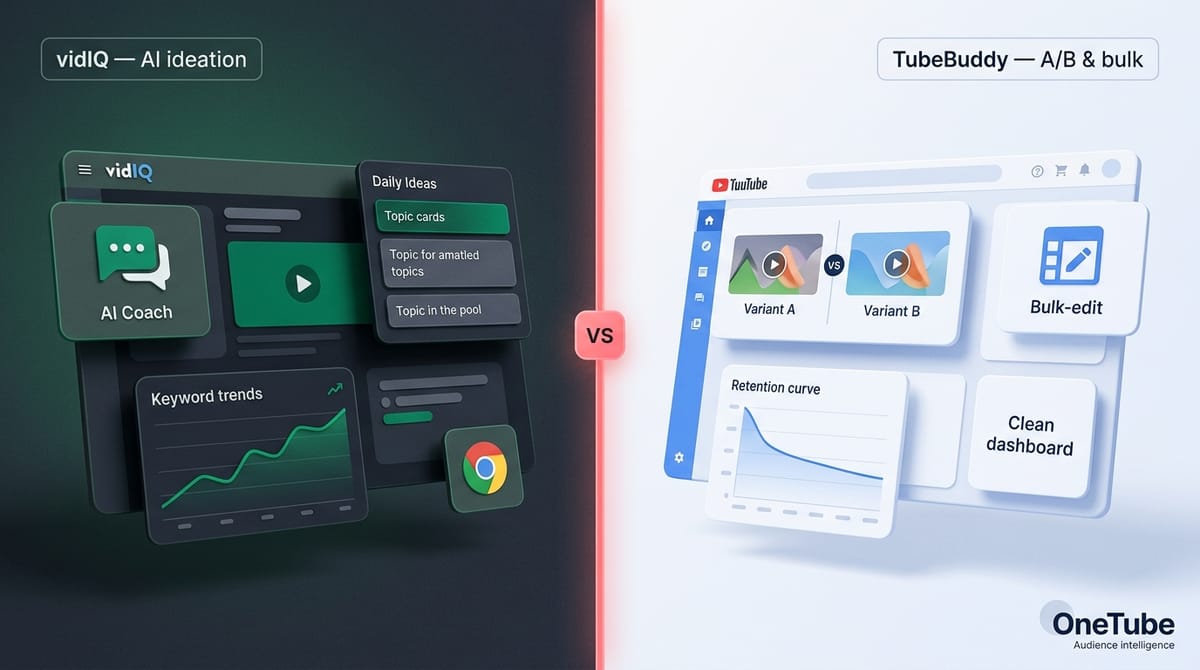
vidIQ and TubeBuddy are the two tools every YouTube creator hears about within their first month of taking the channel seriously. Both have green 4.5-star averages on G2, both have north of a million Chrome extension installs, and both are picked by buyers who are reasonable — they're just optimizing for slightly different jobs.
This article walks through pricing, AI features, A/B testing, bulk processing, analytics, and the part most comparison posts skip: the work neither of them actually does. If you came here to pick between them, you'll get a clean verdict by section. If you came here because you suspect you need something neither of them solves, the last third of the article is for you.
Key TakeawaysvidIQ wins on AI ideation, trend discovery, and a real-time stats overlay on competitor videos. Best for solo creators 10K–100K subs who want a "what should I make next" assistant.TubeBuddy wins on A/B testing (Legend tier only), bulk processing across 100s of videos, and in-tool retention analysis. Best for established channels with a back-catalog and serious creators 100K+ subs.Both miss structured competitor-comment intelligence on standard plans. Neither extracts the verbatim audience questions sitting inside competitor channels' comment sections — and neither writes a narrative explanation of why your metrics moved.OneTube fills that gap. Not a replacement for either tool's keyword/SEO core, but the audience-intelligence layer creators reach for once optimization isn't the bottleneck — direction is.
TL;DR — which one should you pick?
If you're under 10K subs and price-sensitive: TubeBuddy Pro at $4.50/mo annual. The cheapest paid tier in either tool. You get keyword research, basic SEO, and the extension.
If you're 10K–100K subs and want AI to help you find topics: vidIQ Boost at $16.58/mo annual. AI Coach, Daily Ideas, real-time stats on every YouTube page you visit.
If you're 100K+ subs and have a back catalog to optimize: TubeBuddy Legend. The A/B testing alone is worth it, and the bulk-edit tools matter once you have 100+ videos. Annual pricing ranges roughly $23–$39/mo depending on the offer running.
If you want to know why your viewers are watching, what they're asking for next, and what competitor channels' audiences are demanding that yours haven't gotten — pair whichever you pick above with OneTube. That's the part vidIQ and TubeBuddy don't do, regardless of tier.
At-a-glance comparison
| Capability | vidIQ | TubeBuddy | OneTube |
|---|---|---|---|
| Entry paid $/mo (annual) | $16.58 (Boost) | $4.50 (Pro) | $19 (Creator) |
| Keyword research depth | Strong | Strong | Limited (not the focus) |
| AI ideation / Daily Ideas | Yes (heavy) | Limited | Yes (different angle — audience-driven) |
| A/B title + thumbnail testing | No | Yes (Legend only) | No |
| Bulk SEO editing across videos | Limited | Strong (Star+) | No |
| Real-time YouTube extension overlay | Yes | Yes | No |
| In-tool retention analysis | No (uses Studio) | Yes | No (focus is audience signal, not retention) |
| Competitor comment-level sentiment | Enterprise tier only (Brand Solutions) | No | Yes (Spy Mode, all paid tiers) |
| Verbatim audience questions from competitor channels | No | No | Yes (Pulse Report) |
| AI narrative on why your metrics moved | No | No | Yes (Pulse Report) |
| White-label PDF reports for clients | No | No | Yes (Agency Starter+) |
Track your niche, not just your own channel.
Start your 14-day OneTube trial
OneTube's Spy Mode analyzes comments on any public YouTube channel, your competitors' included. Pulse AI reports, niche trend detection, sentiment and intent analysis. Free for 14 days. Cancel anytime, no charge until day 15.
Start free trial →Sources: vidIQ pricing page, TubeBuddy pricing via Capterra and Findstack, OneTube pricing page. Verified May 2026.
How does pricing actually compare?
The headline matters less than the math at each commitment tier.
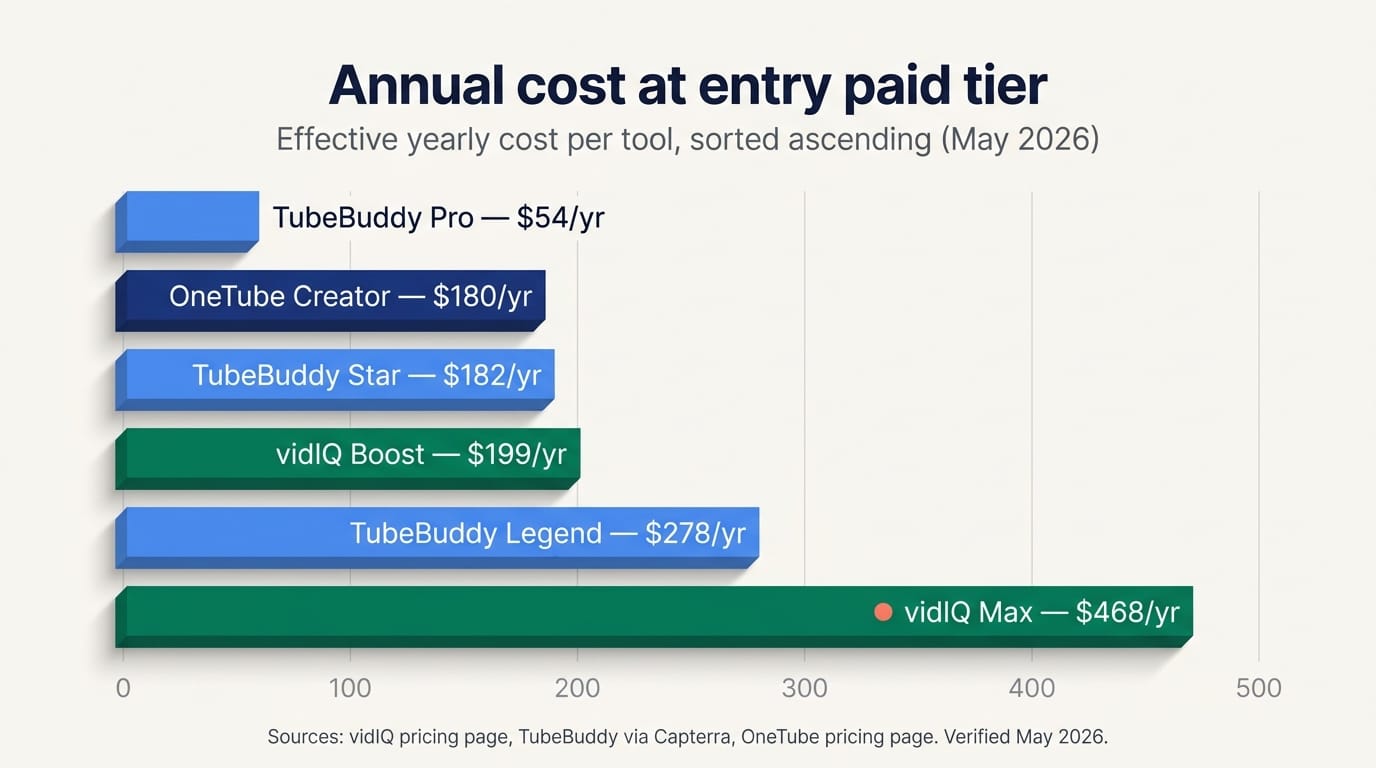
vidIQ has four tiers. Free gets you a small daily AI credit allowance, limited keyword suggestions, and the extension overlay. Boost is the volume tier and prices effectively at $16.58/mo when billed annually ($199/yr), with monthly billing at roughly $39/mo. Max runs $39/mo annual-only ($468/yr) and bumps AI credits and feature access. Coaching + Boost adds a 1-on-1 coach for roughly $99/mo. There is no monthly Max tier — you commit annually or you don't get Max.
TubeBuddy runs four tiers too. Pro is the entry paid tier at $9/mo or $4.50/mo annual ($54/yr), with an additional discount available for channels under 1,000 subscribers (confirm the exact percentage at checkout — published rates vary). Star is $19/mo or roughly $15.20/mo annual ($182/yr). Legend is $49/mo list with annual discounts that vary by offer — the headline annual rate hovers between $23 and $39/mo depending on the promotion running, so confirm the actual checkout price before committing. Enterprise is custom.
Annual discounts diverge sharply. vidIQ's Boost annual deal lands near 57% off list (which is why the effective $16.58/mo is so much cheaper than the $39/mo headline). TubeBuddy's standard annual discount is closer to 20%, with deeper discounts only on promotional windows.
Refund policies are the other story. vidIQ does not offer refunds for unused portions of an annual plan — if you cancel mid-cycle, you keep access until the renewal date but get no money back. TubeBuddy offers a 30-day full refund on first license only, and the refund process takes up to 10 business days. There's a recurring complaint pattern on Trustpilot from 2024 and 2025 about TubeBuddy charges continuing 6 to 12 months after a cancellation, with users noting they "don't send invoices so you'll never see the annual bill if you miss it on your credit card." Worth keeping an eye on your card statement after cancelling either.
Feature deep-dive — where does each tool win?
Keyword research and SEO
Both tools do this well and roughly equivalently. vidIQ's Keyword Inspector adds historical trend data that some reviewers prefer for catching rising topics. TubeBuddy's Keyword Explorer scores keywords 0–100 with a clean overall optimization score per video and pulls suggested tags from top-ranking competitor videos. If keyword research is your only job-to-be-done, both tools cover it.
AI features
vidIQ is the more aggressive AI marketer. AI Coach (conversational), Daily Ideas (proactive topic suggestions), AI thumbnail generator, AI script and description generators, and Max Mode (positioned as 5x more powerful) all run on a credit metering system — 150 credits on Free, 2,000 on Boost, 6,000 on Max. Critique on this tier from r/SmallYTChannel and Trustpilot is consistent: the generated titles and thumbnails are widely described as "generic" and the credit system is occasionally accused of "inflating costs for basic interactions."
TubeBuddy ships fewer AI features and markets them less aggressively. AI Title Generator, AI Description Generator, Snapshot (auto-summarized analytics), and AI Suggested Tags exist but feel like additions to a non-AI core, not the headline.
The honest take: if you want the model to nudge you with daily topic suggestions, vidIQ is built around that. If you want AI as a writing utility on top of a traditional SEO toolkit, TubeBuddy is fine.
A/B testing and thumbnail experimentation
TubeBuddy Legend is the only one in this comparison with native A/B testing — multi-variant tests for titles, thumbnails, descriptions, and tags, measured against CTR, watch time, impressions, and engagement rate. vidIQ has nothing equivalent. One caveat: YouTube Studio rolled out native title and thumbnail A/B testing in 2024, which softens TubeBuddy's moat for creators who can wait for Studio's tool to mature. As of May 2026, Studio's native version is more limited (titles + thumbnails only, no description or tag testing), so TubeBuddy Legend's full A/B suite is still the more capable option.
Bulk processing
This is where TubeBuddy clearly wins for catalog-heavy channels. Bulk Find / Replace / Append across video titles, descriptions, and tags from Star upward. Bulk card and end-screen updates (with the asterisk that the templates feature was widely reported broken on G2 in 2024 — verify it's working before paying for that specifically). Bulk comment moderation on owned channels. vidIQ's bulk capabilities are noticeably weaker, which matters once you cross roughly 100 published videos. If you're sitting on a 500-video back catalog and want to refresh tags or update descriptions, TubeBuddy is the answer.
Analytics and retention
TubeBuddy includes in-tool retention analysis, demographic breakdowns, and a "Best Time to Publish" heatmap. vidIQ shows real-time stats overlays via the extension but punts deeper retention analysis to YouTube Studio. For solo creators who live inside Studio anyway, this isn't a real difference. For multi-channel managers comparing retention curves across clients without context-switching, TubeBuddy's in-tool view saves measurable time.
Chrome extension and mobile app
Both extensions overlay on YouTube watch pages. vidIQ's is denser — tag lists, scores, competitor video stats stacked into a sidebar. TubeBuddy's is more action-oriented — templates, bulk shortcuts. TubeBuddy's extension has documented stability issues when switching across multiple channels (reported on G2 as recently as 2024). vidIQ's extension is more reliable in practice but visually busier.
Mobile apps: vidIQ has a real one with AI Coach and idea generation, reviewed favorably. TubeBuddy's mobile app exists but is widely described as an afterthought — "wasn't made to really be used often" per one detailed 2025 review.
What do both tools miss?
Here's the structural part most comparison posts skip. Both vidIQ and TubeBuddy optimize the supply side of your channel — your keywords, your tags, your titles, your thumbnails, your A/B tests, your bulk edits. They make sure what you've decided to publish is technically optimized.
Neither one tells you what to decide to publish.
The two tools' "competitor research" features look at metadata — what tags a competitor video used, what its view count is, what its keyword footprint looks like. That's supply-side analysis of someone else's channel. It tells you what they did. It doesn't tell you what their audience is actually asking for that they haven't done yet.
vidIQ's Brand Solutions tier — the enterprise package, not the standard creator plans — does some sentiment listening across YouTube channels. If you're paying for enterprise brand-listening packages, you're in a different conversation. For standard creator plans (the $4–$39/mo range this article compares), neither tool extracts structured comment-level intelligence from competitor channels at all.
TubeBuddy's comment tools are explicitly own-channel only — Comment Filters to sort your incoming comments, bulk moderation, sentiment tags on your own thread. Useful, but stops at the boundary of your owned channels.
The work neither tool does, in plain terms:
- Read the comment sections of competitor channels structurally, classifying every comment by what the viewer is asking for, praising, complaining about, or suggesting.
- Extract verbatim audience questions that recur across a competitor's comment thread — the literal sentences you could turn into next month's titles.
- Surface content gaps based on audience demand (what their viewers asked for that wasn't covered) rather than keyword overlap (what they ranked for that you don't).
- Write a narrative explanation of why your numbers moved — not a score, an actual paragraph of "your CTR fell because, your watch time recovered when, your engagement spiked on this format."
These are different jobs from keyword and SEO optimization. They're the jobs that matter once your videos are technically optimized and you're staring at the harder question: what should the next one be about?
Hank Green — co-founder of Vlogbrothers and Crash Course, sitting at around 7 million subs and roughly 20 years inside this platform — captured the underlying tension in a 2024 TechCrunch interview: "I have been trained by the algorithms and by my colleagues to be extraordinarily good at grabbing and holding people's attention. I hope I use that skill for good, but I also use it for distracting people from whatever else they would be doing." Translation for anyone choosing between vidIQ and TubeBuddy: both tools sharpen the click. They make sure that when someone sees your thumbnail and title, you've maximized the chance they tap. Neither tool helps you decide whether the video behind that click is worth the audience's attention in the first place. That second question lives a layer deeper.
Where does OneTube fit?
Honest framing first: OneTube is not a vidIQ or TubeBuddy alternative for keyword and SEO work. We don't do tag suggestions, we don't do bulk edits, we don't do A/B testing. If those are your jobs, pick one of the two above.
OneTube is the audience-intelligence layer that runs on top of either. We tested seven analyzers in our free YouTube channel analyzer comparison and the same gap shows up everywhere — including in our own comparison: none of them reads comment sections at depth across competitor channels.
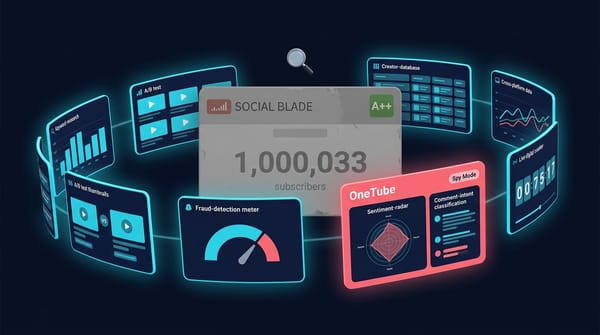
Spy Mode is the part that handles this. Add any public YouTube channel as a competitor inside your workspace. The same comment-intelligence pipeline that runs on your own channels runs against your competitors' channels. The output lands in your Pulse Report: verbatim top audience questions surfacing across competitor comment threads, top content ideas the rival audience is hinting at, top criticism patterns. Our content-gap deep-dive walks through the mechanic in detail.
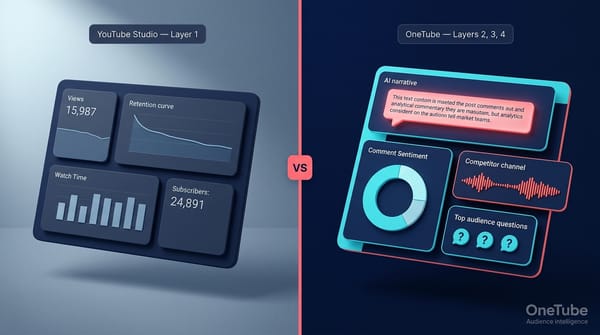
"YouTube Studio shows WHAT happened. OneTube tells you WHY — automatically, across all your channels, every day."
For agencies specifically, OneTube also generates white-label PDF Pulse Reports on Agency Starter ($249/mo) and above — branded with your logo and color palette, no OneTube branding on the client-facing deliverable. We covered agency reporting workflows in a separate comparison if that's your use case.
When to pair OneTube with vidIQ or TubeBuddy:
- You optimize your videos technically (with either tool) but underperform because you're picking the wrong topics
- You publish 1–2 videos per month and the topic decision is the most expensive call you make
- You manage a channel in a competitive niche and need to know what differentiates the top 3 channels' audiences from yours
- You run agency client work and need to show clients why metrics moved, not just that they did
When OneTube alone is enough: agency-tier YouTube-focused client work where the deliverable is a branded Pulse PDF and you don't need keyword research depth for the client.
The 14-day trial requires a credit card at signup — no charge until day 15, and the account converts to read-only if you cancel inside the window.
Who should pick which tool?
Solo creator under 10K subs, price-sensitive. TubeBuddy Pro at $4.50/mo annual. Cheapest paid tier in either tool. You'll outgrow it around 5K–10K subs.
Growing solo creator, 10K–100K subs, wants AI assistance. vidIQ Boost at $16.58/mo annual. The Daily Ideas, AI Coach, and real-time stats overlay are most useful exactly at this stage — when you're publishing weekly and the topic decision matters.
Established channel, 100K+ subs, has a back catalog. TubeBuddy Legend (annual rate varies $23–$39/mo). The A/B testing alone justifies the upgrade, and the bulk-edit tools matter once you have a real video library to maintain.
Multi-channel manager or small agency, 5–25 channels. TubeBuddy Legend for the production work + OneTube Pro ($49/mo) or Studio ($119/mo) for the audience-intelligence layer that lets you walk into a client meeting with the strategic recommendation, not just the metrics.
Agency at 25+ channels with client-deliverable requirement. OneTube Agency Starter ($249/mo, 50 channels, white-label PDF reports, isolated client workspaces) for the client-facing work. Pair with TubeBuddy or vidIQ on individual production accounts depending on which workflow the producer prefers.
Frequently asked questions
Is vidIQ better than TubeBuddy for new YouTubers?
For new creators under 10K subs, TubeBuddy Pro at $4.50/mo annual is the cheapest start. vidIQ's Free tier is more featured than TubeBuddy's Free tier, so trying vidIQ first costs nothing — but the paid version that unlocks the AI features creators actually want (Boost) runs $16.58/mo annual. If price is the deciding factor, start with TubeBuddy. If AI ideation and trend discovery are deciding factors, vidIQ.
Can I use vidIQ and TubeBuddy together?
Yes. Both work as Chrome extensions and can be installed simultaneously. Some creators run both — TubeBuddy's bulk processing and A/B testing alongside vidIQ's AI Coach and Daily Ideas — though for most solo creators, paying for both at the Boost + Legend tiers ($16.58 + $23–$39/mo annual) is overkill. Pick one, add OneTube if you need the audience-intelligence layer.
What's the cheapest paid plan between vidIQ and TubeBuddy?
TubeBuddy Pro at $4.50/mo annual ($54/yr) is the cheapest paid tier. Channels under 1,000 subscribers can get an additional 50% discount on TubeBuddy Pro, dropping it further. vidIQ's cheapest paid tier (Boost) is $16.58/mo annual ($199/yr) — about 4x the cost of TubeBuddy Pro.
Does vidIQ or TubeBuddy work better for competitor research?
Both surface competitor metadata — top videos, tags, view counts, engagement rates. Neither extracts structured intelligence from the comments on competitor channels at the creator-plan tier. vidIQ Brand Solutions (enterprise) includes some sentiment listening; standard creator plans don't. For comment-level competitor intelligence on standard plans, OneTube's Spy Mode is the option built for this specifically — and our content-gap analysis guide walks through how that data translates into next-month topics.
Do vidIQ and TubeBuddy offer refunds?
vidIQ does not offer refunds for unused months on annual plans — you keep access until the renewal date if you cancel, but you don't get money back. TubeBuddy offers a 30-day refund on first license purchases only, with processing up to 10 business days. Worth noting: there's a recurring 2024–2025 complaint pattern on Trustpilot about TubeBuddy charges continuing months after cancellation, so watch your credit card statement.
What does OneTube do that vidIQ and TubeBuddy don't?
Three specific things. First, comment-level intelligence on competitor channels — every comment classified by intent and emotion, with verbatim top audience questions surfaced. Second, content-gap detection based on audience demand (what their viewers ask for that wasn't covered) rather than keyword overlap (what they ranked for that you don't). Third, AI-generated narrative commentary on why your metrics moved, not just scores. Our comment intelligence deep-dive covers the full pipeline.
What to do next
If you've decided between the two: TubeBuddy Pro for the cheapest start, vidIQ Boost for AI ideation, TubeBuddy Legend for A/B testing and bulk processing. All three are reasonable picks for different stages.
If you've realized the question isn't between vidIQ and TubeBuddy — if your optimization is already fine and the bottleneck is direction — that's where OneTube Spy Mode and Pulse Reports fit. The 14-day trial requires a credit card at signup; no charge until day 15. Five channels including competitors, generous Pulse Report quota, full Spy Mode access included.
The creators who win 2026 on YouTube won't be the ones with the most optimized tags. They'll be the ones who know what their niche's audiences are asking for next.
Related reads
- Best free YouTube channel analyzers in 2026 (tested) — five free tools tested, including where they all share the same blind spot
- YouTube comment analyzer: read 4,000 comments without losing your week — the comment-intelligence pipeline this article references
- How to find YouTube content gaps with AI in 2026 — turning competitor audience signals into next-month topics
- What do YouTube viewers actually want? — the audience-intent framework behind Spy Mode